Why AI images still look fake (and the tells)
By Chatday Editorial Team ·
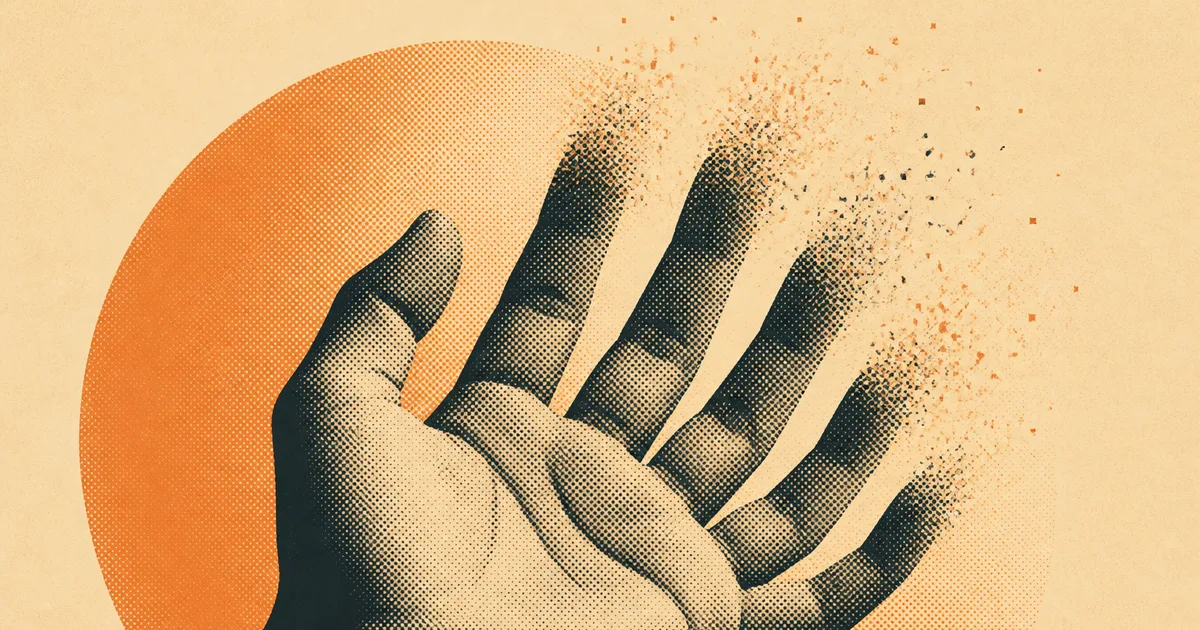
You are three seconds into a photo of a chef plating dinner before you notice the hand. The thumb bends the wrong way, and there is a fifth finger where a fourth should be. Everything else is gorgeous. The steam, the light, the little scorch marks on the plate. But that hand gives the whole thing away, and now you cannot unsee it.
AI image tools have come a long way. A generation ago they smeared faces and turned teeth into piano keys. Now they can produce a portrait that fools almost anyone. Almost. There is still a small set of places where the illusion cracks, and once you know where to look, you spot them everywhere.
So here is what actually happens: why a tool that paints skin and hair beautifully still fumbles a hand or a street sign, and what that tells you about how these things “see.”
The giveaways that still work
Some of the old tells are dead. Plastic, airbrushed skin and those perfectly matched sparkles in both eyes used to scream “fake.” The newer models handle skin texture and eye highlights convincingly now, so those are no longer reliable on their own.
What still slips? A handful of spots where the model has to keep many small things consistent at once.
| Where to look | What gives it away | Why it happens |
|---|---|---|
| Hands in action | Extra or fused fingers when gripping, overlapping or holding something | The pose is complex and the details are tiny, so they resolve last and worst |
| Background text | Melty letters on a distant sign, book spine or label | The model spends its effort on the subject, not the small print |
| Reflections and shadows | A mirror showing the wrong thing, shadows pointing nowhere | It paints a plausible-looking reflection, not a physically correct one |
| Repeating patterns | Brick rows that curve, tiles that change size across the frame | Keeping a grid mathematically even across a whole image is hard |
| Jewelry and edges | A watch that half-melts into a wrist, a ring that merges with skin | Two surfaces meeting cleanly is exactly the boundary it struggles with |
None of these is a magic detector. The best 2026 models can nail any one of them. The trick is that they rarely nail all of them at once. An image might have flawless hands and readable text, and then the light is coming from two directions that cannot both exist.
Why hands and text trip up AI
Here is the part that surprises people. The model is not drawing a hand. It has no idea a hand exists.
Peter Bentley, a computer scientist at University College London, put it bluntly in an interview with BBC Science Focus: these are “2D image generators that have absolutely no concept of the three-dimensional geometry of something like a hand.” They learn by soaking up millions of images and picking up patterns. A hand tends to have a palm, some fingers, some nails. But, as Bentley says, “none of these models actually understand what the full thing is.”
Think of it less like a painter and more like autocomplete for pixels. The model predicts what should come next based on what it has seen, without ever counting to five or reasoning about which finger goes where. Ask it for two hands with interlaced fingers and, in Bentley’s words, you can get “two wrists and a ball of fingers.” It is guessing at a shape it has seen a lot but never truly grasped.
That also explains the training-data problem. In most photos, hands are a mess. They are half hidden, curled into fists, waving, gripping a coffee cup, or turned so only two fingers show. Faces stare straight at the camera in millions of clean shots, so models see faces in every angle and lighting. Hands they mostly see mid-action and half-obscured, so a relaxed, splayed, front-facing hand is oddly rare in the data. The model ends up great at the thing it saw clearly and shaky at the thing it saw in fragments.
Text is the same story in a different outfit. Letters are shapes to the model, not language. It knows a sign should have letter-like marks on it, so it paints letter-like marks. Up close, on a headline, the newer models can spell. Push it to a distant storefront or a wall of small print and it goes back to squiggles that only look like words from across the room.
What the newest models fixed, and what they did not
It would be unfair to pretend nothing changed. It changed a lot.
Skin looks real now, with pores and grain instead of that waxy sheen. Eyes match. Faces have micro-expressions that dodge the old uncanny-valley stiffness. Short, prominent text often comes out clean. Simple resting hands, the kind just sitting on a lap, usually render fine. If you saw a state-of-the-art image today with no tells, you would not blink.
What resists is anything that needs the model to understand rules rather than copy looks. Physics is the big one. A reflection has to obey geometry. A shadow has to agree with the light. A hand wrapped around a mug has to know the mug is in front of some fingers and behind others. These are not texture problems, they are logic problems, and a pattern-matcher does not do logic. Bentley notes the fix is likely training on real 3D shapes so models “understand the shape behind images,” and there is early work in that direction, but the everyday tools you use are still painting flat guesses.
If you are curious how far the field has come on the text problem specifically, we went deep on that in AI finally learned to spell in images. And if you just want to know which tool renders the cleanest results today, we lined them up in the best AI image generators.
How to get AI images that do not look fake
Knowing why images break tells you exactly how to avoid it. You are steering the model away from the stuff it fumbles.
Keep hands calm or out of frame. If a hand does not need to be doing something fiddly, do not make it. Ask for hands resting, in pockets, or simply crop tighter. A portrait from the chest up sidesteps the whole problem.
Do not ask the image to carry your words. If you need a headline, a logo or a caption, add it afterward in any design tool. Let the model make the picture and put the real text on top yourself. It will be sharp, correct and yours.
Describe the light. Say where it comes from. “Soft window light from the left” gives the model a rule to follow, and the shadows and reflections tend to fall into place instead of pointing in random directions.
Generate, then fix, then regenerate. The first result is a draft. Spot the tell, tweak the prompt or nudge one detail, and run it again. The people who get clean images are not lucky, they just do two or three passes. This is where working in one place helps, because you can generate, spot the melty sign, and re-roll without hopping between apps. The same trick powers a lot of product photos made with AI: a few quick passes, not one perfect prompt.
Lean into “imperfect” on purpose. A slightly grainy, off-center, real-feeling shot reads as more authentic than a glossy one. That is a whole aesthetic now, and we wrote about why AI photos look imperfect on purpose.
The honest takeaway is not that AI images are bad. It is that they are confident, and confidence is not the same as correct. Spend thirty seconds in the corners of the frame and you will know. Then, when you make your own, you can aim the tool at what it is good at and quietly route around the rest.