Why AI Photos Now Look Imperfect on Purpose
By Chatday Editorial Team ·
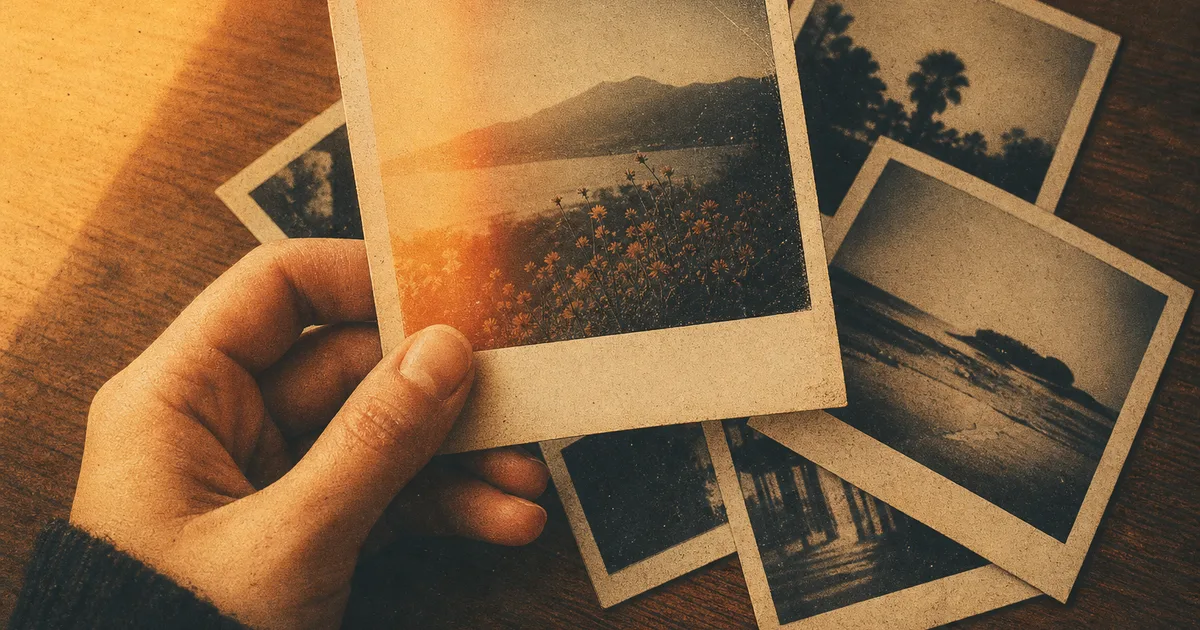
For two years, AI images had one job: look flawless. Glassy skin, perfect lighting, not a hair out of place. In 2026 the mood flipped. The photos people actually share now look scratched, grainy, a little wrong, and that is the whole point.
Scroll TikTok or Pinterest today and the most-shared AI edits are the messy ones. Faded film colors. Light leaks. A blur that looks like someone bumped the camera. There is even a runaway trend where people ask AI for the ugliest, most childish drawing it can manage. After a couple of years of eerily perfect pictures, “imperfect” has become the look everyone wants.
Why perfect AI photos started to feel fake
Here is the short answer: when everything looks perfect, perfect stops meaning anything. Early AI photos were technically stunning and emotionally flat. They had the polish of a stock photo and the warmth of one too.
The turning point had a face. In late April 2026, a Korean creative director named Wonjae Gi posted a prompt on Threads asking AI to draw in the clumsiest, most pathetic way it could. He described feeling “a kind of fatigue from how perfect everything was becoming.” The idea caught fire. Within days OpenAI folded a version of the prompt into ChatGPT’s image tool after Sam Altman reshared it, and by early May, as Forbes reported, feeds were full of gloriously bad AI doodles with rectangular teeth and squiggle hair.
That fatigue is the real story. A slightly broken photo feels like a memory. A perfect one feels like an ad. Once people noticed the difference, the messy version started winning the likes.
The AI photo trends making pictures look human again
Most of these started as photo edits, where you upload a real picture and ask AI to restyle it. A few are pure text-to-image. Here is what is actually going around, and when each one lands.
| Trend | What it looks like | Best for |
|---|---|---|
| Film grain and light leaks | Dusty grain, soft blur, uneven light, tiny scratches | Everyday photos you want to feel nostalgic |
| Y2K camcorder | A cheap 2003 camcorder look, VHS fuzz, a date stamp in the corner | Throwback posts and reels |
| Toyification | You, reimagined as a glossy collectible toy in retail packaging | Fun profile pics and gifts |
| Cinematic time travel | You dropped into a 1970s disco or a rainy Victorian street | Storytelling and “what if” posts |
| Ugly on purpose | A crude MS-Paint doodle with derpy faces and chaotic scribbles | A laugh, memes, group chats |
The common thread is not nostalgia for any one decade. It is texture. Grain, packaging, a bad camcorder, even a bad drawing all add a fingerprint that says a human was here. That is what a spotless AI render never had.
How to make your own imperfect AI photo
You do not need Photoshop or a single editing skill. You describe the imperfection you want in normal words, the same way you would tell a friend. Three prompts to try, each one built for a different vibe. Upload a photo, paste the prompt, tweak the parts in brackets.
The trick with all three is to name the flaw you want. Vague words like “vintage” give vague results. “1990s film grain with a warm faded tint” tells the AI exactly what to do. If the first try is off, reply with one small change (“more grain,” “less blur”) instead of starting over.
Where the imperfect look falls short
It is a style, not a fix, and it is worth being honest about that. Piling grain and blur on a photo that was already blurry just makes mush. The effect works best on a clear, well-lit shot, so the “flaws” read as a choice rather than a mistake.
It also gets old fast if you use the exact same preset on everything. The reason these trends feel fresh is that people mix them, a little grain here, a camcorder date stamp there. And for anything that needs to look sharp and professional, a headshot, a product photo, a logo, you still want the clean version. If that is your goal, our guide to designing a logo with AI points the other way, toward polish.
One more honest note: an imperfect filter is not the same as a genuinely old photo. If you actually want to repair a real damaged picture rather than fake the look, that is a different job, and our walkthrough on how to restore old photos with AI covers it properly.
The takeaway: flaws are the new filter
The lesson of 2026 is a funny one. We spent years teaching AI to make things perfect, and the moment it succeeded, we decided perfect was the problem. The photos that travel now have a little dirt on them, a scratch, a blur, a stamp in the corner, the small signs that say a person made this.
The best part is how low the bar is to join in. You do not need a preset pack or an editing app. You need a photo and a sentence. Pick one of the looks above, describe the imperfection you want, and see your version in a few seconds.