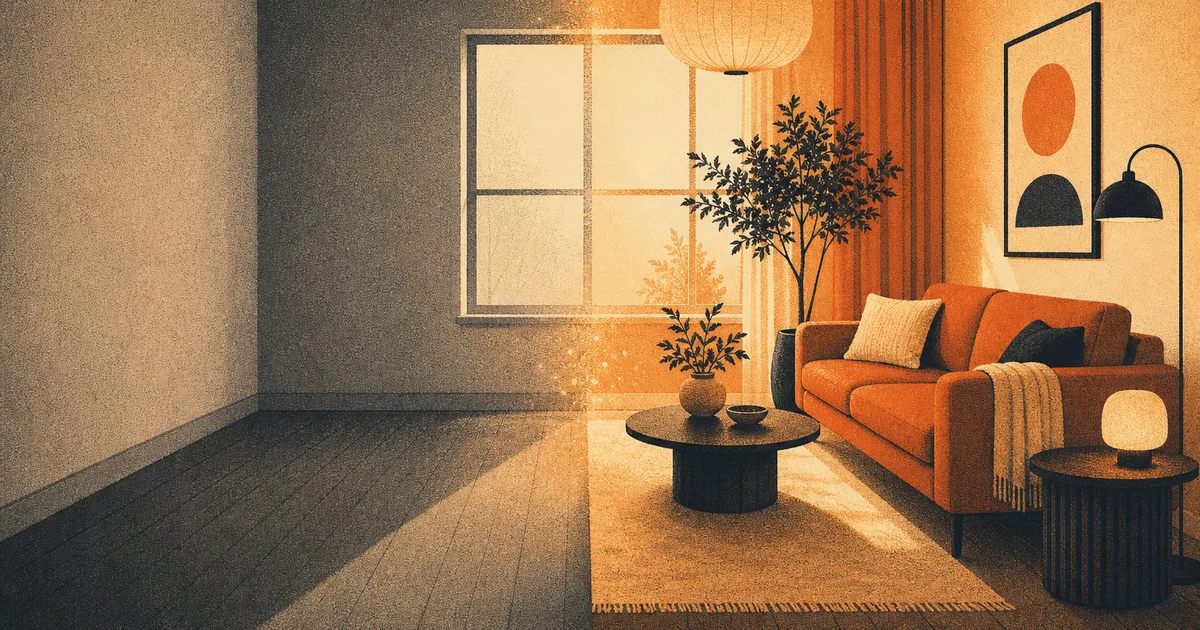
You have stared at the same living room for three years, you know it needs something, and every time you open a shopping app you close it again five minutes later. Should the sofa move? A different rug? Paint the wall? Committing real money to a maybe is exhausting.
Here is the fun part: you can now see the makeover first, for free, in about the time it takes to boil a kettle. Snap a photo of the room, hand it to an AI image tool, and ask it to redesign the space. No tape measure, no showroom, no regret. Below are 8 copy-paste prompts that do exactly that, plus the one trick that makes the results actually usable.
How to use these prompts
Two ways to run any prompt below. Pick whichever fits what you want.
Restyle your real room (recommended). Take a clear, well-lit photo of the space, upload it, and paste a prompt. The AI keeps your room’s shape, windows and proportions, and swaps the style, furniture and colors. This is the version that actually helps you decide.
Start from scratch. No photo? Just paste the prompt on its own and the AI invents the whole room. Great for gathering ideas before you commit to a direction.
A quick note on wording that makes a real difference:
Name a style. “Make it nicer” gets you mush. “Scandinavian” or “warm minimalist” gets you a look.
Say the feeling you want. Brighter, cozier, calmer, more grown-up. One feeling per prompt.
Keep what you love. Tell it to keep the big window or the wooden floor so it does not erase the good parts.
The prompts
Each card is ready to copy. Where you see a bracket, swap in your own detail. Tap Use this prompt to open it in the image tool, then upload your room photo.
Best for a tired living room
Best for a bedroom that should feel restful
Best for a small space that feels cramped
Best for a room that has to work
Which style fits which room?
If you are not sure what to ask for, this cheat sheet pairs a vibe with a style name you can drop straight into any prompt above.
You want it to feel…
Ask for this style
Works great in
Bright and airy
Scandinavian
Living rooms, small spaces
Warm and grounded
Mid-century modern
Living rooms, offices
Calm and minimal
Japandi
Bedrooms, studies
Cozy and layered
Modern farmhouse
Kitchens, dining rooms
Sleek and simple
Contemporary minimalist
Kitchens, bathrooms
Bold and personal
Eclectic / maximalist
Living rooms, kids rooms
Where AI room design falls short (be honest with yourself)
This is inspiration, not a blueprint. The AI does not know your ceiling height, your budget, or that the radiator can’t actually move. It will happily invent a window that is not there or a sofa that would never fit through your door.
So use it for the direction, not the shopping list. Once you love a look, measure your real space and find pieces that fit. And if the AI reshapes your room too much, add “keep the exact layout and dimensions” to the prompt. The goal is a picture that makes you go “yes, that one,” so you stop second-guessing and start decorating.
While you are experimenting with images, two more tricks worth a look: our guide to restoring old photos with AI uses the same tool to fix faded family pictures, and if you want the full lay of the land, we rounded up the best AI image generators and what each is good at.
Yes. Upload a clear photo, describe the style you want, and the tool keeps your room's layout and windows while changing the furniture, colors and mood. Starting from a real photo gives far more usable results than a blank prompt.
No. Name a style (like Scandinavian or Japandi) and say one feeling you want (brighter, cozier, calmer). If the first result is off, reply with one small change instead of rewriting everything.
You can generate room makeovers for free to explore ideas. It costs nothing to test a few looks before you spend real money on furniture or paint.
Not reliably. Treat the image as inspiration for the look and mood, then measure your real space and shop for pieces that genuinely fit. Add 'keep the exact layout and dimensions' if it changes the room too much.
A well-lit, straight-on shot that shows most of the room, taken during the day. Avoid heavy shadows and extreme angles so the AI can read the space clearly.
Start with one room
You do not need a plan or a budget to begin. Pick the room that bugs you most, take one photo, and try a single prompt from the list. Worst case, you learn what you don’t want, which is half of decorating anyway. Best case, you see your space transformed and finally know what to do with it.