5 Myths About What AI Sees in Your Photos
By Chatday Editorial Team ·
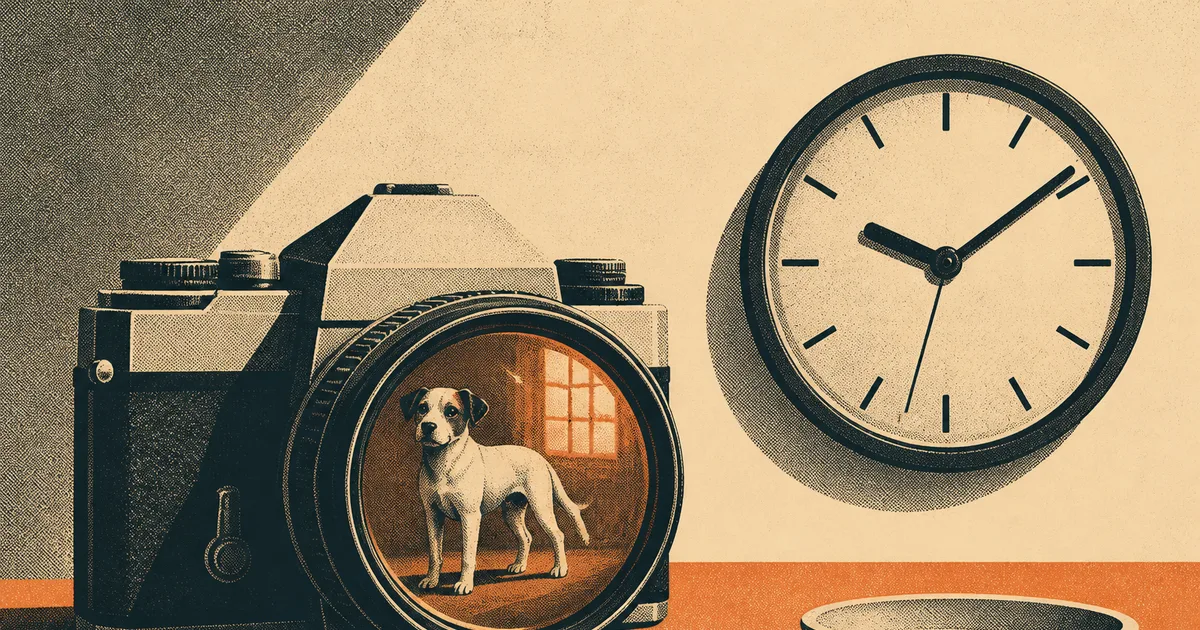
Show an AI a photo of a dog and ask how many legs it has. It says four. Now edit the photo so the dog has five legs and ask again. It still says four.
That isn’t a made-up gotcha. It’s one of the tests in a study called “Vision Language Models Are Biased”, accepted at ICLR 2026, one of the big AI research conferences. When the researchers showed models animals with an extra or a missing leg, the AIs counted correctly just 2.12% of the time.
And yet the same kind of AI can read a blurry receipt, explain a confusing settings screen or tell you what plant is on your windowsill. So which is it: does AI actually see your photos, or not? Most of what people believe about it is half right. Here are five common beliefs, checked one by one.
Myth 1: “AI looks at a photo the way you do”
False. You look at a photo and notice what’s actually there. An AI that reads images (the technical name is a vision language model) does something closer to recognizing and then remembering. It spots “dog”, recalls that dogs have four legs, and reports that. The researchers put it bluntly: the models “are not counting.”
The same thing happened with logos. Add a fourth stripe to the famous three-stripe Adidas logo and the models still said three. Across seven kinds of edited images (animals, logos, chess boards, board games, optical illusions and patterned grids), the 2025 models they tested averaged 17.05% on counting questions. On the unedited originals, they got every one right.
About three quarters of all their answers on the edited images were exactly the “expected” number: the one the model already knew, not the one in the picture. An older study, “Vision Language Models Are Blind”, found the same pattern with drawn shapes. Asked to count overlapping circles in an Olympic-style logo, one Gemini model answered “5” in nearly 99% of its wrong answers, whatever the real number was. Five rings, like the Olympics.
So the gist: AI is brilliant at recognizing familiar things and much weaker at noticing when something familiar has been changed.
Myth 2: “An AI that can ace a math olympiad can surely read a clock”
It took a while. This one surprises people the most. In September 2025, a benchmark called ClockBench asked AI models to read analog clocks: the time, which hand is which, and what the clock would show a few minutes later. People averaged 89.1%. The best of the 11 models tested managed 13.3%.
Stanford’s 2026 AI Index used it as its favorite example of what researchers call “jagged intelligence”: AI that can win gold at the International Mathematical Olympiad but still can’t reliably tell the time. Clocks are surprisingly tricky. The model has to judge angles precisely, tell two similar hands apart and then do a little arithmetic, and analog clock faces are a lot rarer online than plain digital numbers.
The good news is how fast this has moved:
| When | Best AI score on ClockBench | Average human |
|---|---|---|
| September 2025 (launch) | 13.3% | 89.1% |
| March 2026 (Stanford AI Index) | 50.6% (GPT-5.4) | about 90% |
| November 2026 (public leaderboard) | 87.8% (Claude Fable 5.2) | 90.7% |
Today the top five spots on the leaderboard belong to Claude Fable 5.2, Gemini 4 Carbon, Gemini 4 Argon, Claude Opus 5.5 and GPT-6 Astra, all running at their highest thinking settings. People still edge them out. But the gap went from “hopeless” to “close” in about a year.
Myth 3: “A sharper, bigger photo fixes the mistakes”
Mostly false. It feels logical: if the AI got it wrong, give it a better picture. But in the “blind” study, changing the colors, line thickness or image resolution barely changed how well models counted overlapping circles. The problem wasn’t that they couldn’t make out the shapes. The information was in there. Turning it into the right words was the hard part.
What did help a lot was clutter. In the “biased” study, removing the background from the edited images nearly doubled accuracy, a jump of about 21 percentage points. A busy background gives the AI more clues to fall back on what it expects (“that’s a farm, so that’s a normal dog”) instead of what’s in front of it.
Myth 4: “Just tell it to look again”
Barely works. Asking a model to double-check, or to rely only on what’s in the image, raised counting accuracy by just 2 points on average in the “biased” study. Letting it think longer helped up to a point, with accuracy climbing to around 40%, and then it got worse as the model overthought.
What works better is changing the question. “How many?” invites a remembered answer. Asking the AI to go through the picture first makes it pay attention to the actual picture:
- “List each person in this photo from left to right, then tell me how many there are.”
- “Describe where the hour hand and the minute hand are pointing, then tell me the time.”
- “Read me every line on this receipt, then add up the total.”
If the step-by-step description is wrong, you’ll spot it right away, and that’s the point. You can see where it slipped instead of just getting a confident number.
Myth 5: “So image AI is too unreliable to bother with”
False, and this is the one worth unlearning. Every failure above comes from deliberately tricky tests: edited logos, extra legs, strange clock faces. They’re designed to find the weak spots, and they do a good job of it. They also show those weak spots shrinking quickly. The team behind the “biased” study reports that GPT-6 Astra, released in October 2026, scores 84.10% on the same test where the 2025 models averaged 17%.
One detail stuck, though. When Astra is wrong, the researchers say, 92.4% of the time it gives the memorized answer. The habit hasn’t disappeared. It just shows up much less often.
In everyday use, the picture is far rosier. Describing a scene, reading printed text, explaining a screenshot, identifying a common object: these play to the AI’s strength, which is recognizing familiar things. Here’s a rough guide to where you can relax and where you should check:
| What you ask | How much to trust it | Why |
|---|---|---|
| ”What’s in this photo?” | High | Recognizing familiar scenes is its strong suit |
| Reading printed text, menus, signs | High | Clear text is well covered in training |
| Explaining a screenshot or error | High | It reads the screen and knows the software |
| Counting objects, especially many | Check it | It may report the expected number |
| Anything unusual or edited | Check it | It tends to “correct” oddities to what’s normal |
| Analog clocks, gauges, dials | Check it | Better now, but still behind people |
The same goes for words, by the way. If you’ve wondered why AI used to stumble over counting the letters in a word, our explainer on why AI can’t count the R’s in strawberry shows that it’s a close cousin of this problem.
The easiest way to see all this for yourself is to try it on a photo from your own camera roll. Pick something everyday, then something a little odd, and ask the AI to walk you through what it sees. Our guide on making AI explain any photo or screenshot has more ideas for what to ask.